CDI app icon

Compare. Choose. Drive.

Compare Driving Instructors

Compare Driving Instructors

Find your best local match without the endless searching.

Find Driving Lessons Faster

Compare prices, reviews, transmission and availability in one place.

Discover Driving Schools Near You

Explore local instructors and driving schools across the UK.

Compare Driving Instructors

Compare. Choose. Drive.

hello@comparedrivinginstructors.co.uk 🕐 Mon–Sat, 9am–6pm  UK coverage is growing
fXin
Choose a route
Driving lessons
One clear step at a time - pick a category to see options.
Back to Driving Lessons
By Learner Type
Female instructors Some learners feel more comfortable learning with a female ADI - browse instructors near you. Find a female instructor
Comparison HubPREMIUM

Compare instructors, lessons & test-centre coverage

Build confidence before enquiring - real prices, verified profiles and availability signals in one place.

AutomaticFemale instructorsNervous learnersIntensive courses
Start comparing
Compare local profiles by price, transmission and availability Free to compare with no booking fee Clear ADI and PDI status with verification badges Direct enquiries with no learner account required
Compare profiles by price, transmission and availability Free to compare with no booking fee Clear ADI and PDI status with verification badges Direct enquiries without a learner account
Step-by-step guide

How DVSA bulk import works

Understand how admin creates controlled unclaimed listings from a validated CSV.
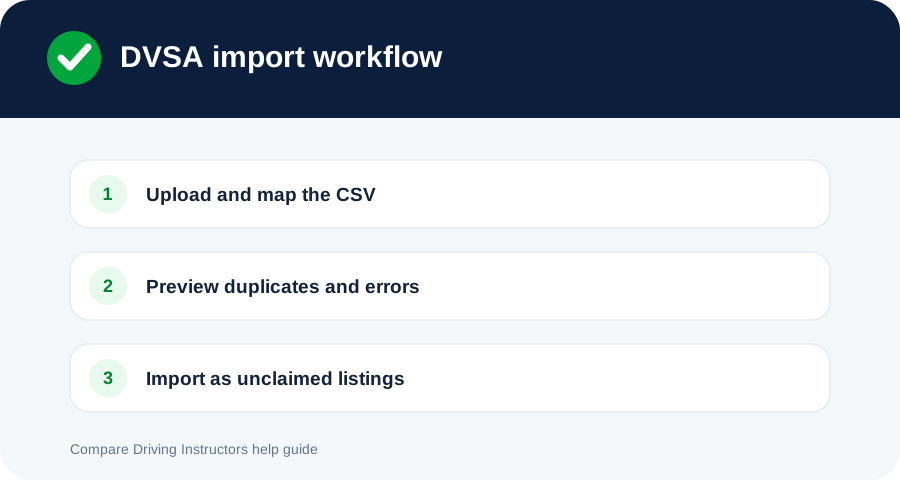
DVSA CSV import visual guide
Import preview and duplicate review happen before any listing is created.
  1. Admin uploads a CSV and maps the available columns.
  2. CDI validates names, contact fields, locations and identifiers.
  3. The preview flags duplicate or invalid rows.
  4. Admin approves the import batch.
  5. CDI creates unclaimed listings only. It does not create passwords or login accounts.
  6. Claim outreach eligibility is reviewed separately.

Imported listings retain the source, batch and audit history. Possible duplicates are not merged automatically.

Could not resolve it?

Send the support team the page you were using and what happened.

Contact support